
Published under: Release Notes
2 min read
关于在大型开源3D地理空间引擎中使用ESLint的见解。
🌐 Background
CesiumJS 是一个用于 3D 地理空间可视化的开源 JavaScript 库。Cesium 的起源在航空航天字段,我们的第一个用例是对卫星和航天器进行精确可视化。现在,CesiumJS 已有超过 4,000,000 次下载和 GitHub 上 9000 个星标,拥有庞大的用户和贡献者社区。来自世界各地的用户已经将 CesiumJS 应用于各种不同的应用,从地图制作和数据分析,到为卫星构建互动模拟、事件策划、开源情报,甚至用于构建飞行模拟器。
🌐 Switching to ESLint
作为一个经常有外部贡献的开源项目,拥有明确且一致的编码规范以及自动化的执行方式非常重要。开发始于2011年,Cesium的第一个版本于2014年发布。随着新的浏览器API和标准的出现,确保CesiumJS保持与现代使用场景的兼容性对我们而言非常重要。
🌐 As an open source project with frequent external contributions, it is important that we have clear and consistent coding conventions along with automated ways of enforcing them. Development started in 2011, and the first version of Cesium was released in 2014. As new browser APIs and standards have emerged, ensuring that CesiumJS stays compatible with modern use cases has been very important to us.
最初,CesiumJS 使用 JSHint 进行静态分析,因为当时它是标准工具。2017 年,我们转向使用 ESLint,因为它在跟上 ECMAScript 标准快速发展的步伐方面更为出色。ESLint 通过 lint 检查和自动修复许多规则,实现了风格规则的强制执行。也许最重要的是,它能够创建可扩展的配置,以适应我们自己的编码标准,并扩展社区中其他人创建的配置。在这篇文章中,我将解释我们 CesiumJS 的维护者如何使用 ESLint 来确保代码质量、强制一致性,并在我们的开源和私有项目中减轻开发者遵守代码风格和标准的负担。
🌐 Initially, CesiumJS used JSHint for static analysis, because it was the standard at the time. In 2017, we switched over to ESLint because it was better at keeping pace with the rapid nature of ECMAScript standards development. ESLint enabled enforcement of style rules through linting and applying automatic fixes for a lot of those rules. Perhaps most important of all was the ability to create extensible configurations that fit our own coding standards and extend configurations made by others in the community. In this post, I will explain how we, the maintainers of CesiumJS, use ESLint for ensuring code quality, enforcing consistency, and reducing developer burden in adhering to our code style and standards across our open source and private projects.
🌐 How we use ESLint
开发者越早在开发过程中发现问题,修复它的成本就越低。这种“左移”策略是我们的关键优先事项,这也是为什么我们将代码检查(linting)纳入开发者工作流程,以便开发者在编写代码或提交代码之前就能了解到他们代码中可能存在的问题。
🌐 The earlier in the development process a developer is able to catch an issue, the less expensive it is to fix it. This “shifting left” strategy is a key priority for us and that is why we incorporate linting into the developer workflow so that developers are informed of potential issues in their code as they write it or before they commit it.
首先,Visual Studio Code 是 Cesium 首选的 IDE,因此我们在 .vscode/extensions.json 中包含了官方的 ESLint VS Code 扩展,以便用户在克隆仓库并在 VS Code 中打开时会被提示安装该扩展。
🌐 First, Visual Studio Code is the IDE of choice at Cesium, so we include the official ESLint VS Code extension in .vscode/extensions.json so that users are prompted to install the extension when they clone the repository and open it in VS Code.
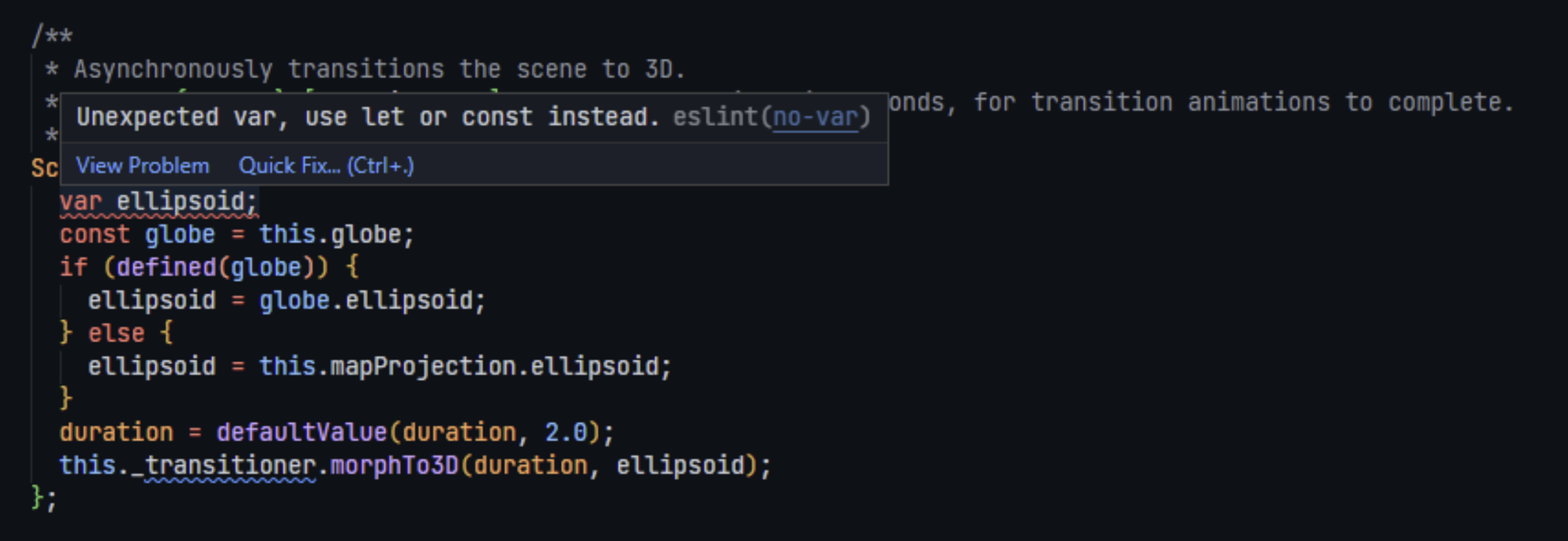
其次,我们使用 husky 包来安装 pre-commit 钩子,以确保每次将代码提交到仓库时都会运行 lint 命令。
🌐 Second, we use the husky package to install pre-commit hooks to ensure that the lint command is run every time code is committed to the repository.
最后,我们也将 lint 脚本作为 CI 步骤的一部分运行。
🌐 Last, we also run the lint script as part of our CI step.
这些工具在我们所有的代码库中都有复制,以确保在开发和评审过程中有一致且高效的体验。保持代码和工具的一致性可以减少开发者在不同项目中工作的负担,并使新开发者更容易上手新项目。
🌐 These tools are replicated for all our repositories to ensure a consistent and efficient experience in development and in review. Maintaining consistency in the code and the tools reduces the burden on developers working on different projects and makes it easier to onramp developers on new projects.
在 Cesium,我们维护了两个开源可共享的 ESLint 配置:一个用于 Node.js 项目,另一个用于浏览器环境。通常,这两个配置会在同一个代码仓库中同时使用,因为客户端/网页代码通常会伴随服务器/脚本代码。我们的配置在很大程度上依赖于 ESLint 默认推荐的规则集。由于我们在所有项目中都使用 Prettier 进行代码格式化,因此我们还会添加 Prettier 规则集,以确保 linter 与格式化工具之间没有冲突。项目通常还会扩展基础源配置,以为 Jasmine 环境创建测试配置。
🌐 At Cesium, we maintain two open source shareable ESLint configurations: one for Node.js projects and another for browser environments. Often, both configurations are used in the same repository as there is often server/script code to accompany the client/web code. Our configurations rely heavily on the default ESLint recommended ruleset. Because we use Prettier for code formatting in all our projects, we also add the Prettier ruleset to ensure that there are no conflicts between the linter and the formatter. Projects often also end up extending the base source configuration to create a testing configuration for the Jasmine environment.
在2022年之前,CesiumJS一直锁定在ECMAScript 2009版本,这主要是由于支持Internet Explorer所带来的浏览器限制。我们使用了eslint-plugin-es来限制或允许特定的语言特性。一旦我们停止支持Internet Explorer,就可以自由升级到更新的ECMAScript版本。我们将版本设置为ECMAScript 2020,并通过ESLint,借助其修复命令,这一过程大部分是自动化的。有很多好处是我们立刻就能感受到的;举几个例子,GLSL着色器字符串因为字符串模板语法而更易阅读,而且let和const通过更清晰的作用域和在需要时强制不可变引用,使代码更加可读。
🌐 Prior to 2022, CesiumJS had been locked to ECMAScript 2009, primarily due to browser constraints imposed by supporting Internet Explorer. We used eslint-plugin-es to restrict or allow specific language features. Once we dropped support for Internet Explorer, we were free to upgrade to a more modern version of ECMAScript. We set our version to ECMAScript 2020, and through ESLint the process was mostly automated thanks to the fix command. There were a lot of benefits that were instantly apparent to us; to name a couple of examples, GLSL shader strings were much easier to read because of the string template syntax and let and const made the code a lot more readable through clearer scoping and enforcing immutable references where needed.
我们当前的 ESLint 配置允许用户使用所有直到 ES2020 的现代特性。但是由于 CesiumJS 是一个 3D 引擎,开发者在使用 ES6+ 代码语法的便利性与其性能影响之间需要进行权衡。在对性能影响显著的高频执行代码区域,例如每帧渲染循环代码,简单的 for 循环可能比 Array.forEach() 更好。我们不会对这种情况强行制定统一规则,因为细微差别很难自动化处理。相反,我们在我们的 编码指南 中记录了最佳实践,并让开发者和审查者根据具体情况评估此类选择的影响。
🌐 Our current ESLint configuration allows users to use all modern features available up to ES2020. But since CesiumJS is a 3D engine, it’s important that developers balance the convenience of ES6+ code syntax with its performance impact. In areas of the code that are run enough times to make a significant impact, such as per-frame rendering loop code, a simple for loop may be better than an Array.forEach(). We don’t impose blanket rules on situations like this since the nuance is difficult to automate. Instead we document the best practices in our coding guide and have developers and reviewers measure the impact of such choices on a case-by-case basis.
🌐 Conclusion
ESLint 是我们开发过程中极其重要的一部分。它是一种工具,帮助我们维护一个经过良好测试、稳定、高性能且具有强烈编码风格的大型代码库。它还帮助我们吸引贡献者,使我们能够对自己编写和审查的代码充满信心。如果你有兴趣了解更多关于 Cesium 的信息,可以访问我们的博客获取更多信息。
🌐 ESLint is an extremely important part of our development process. It’s a tool that helps us maintain a very large code base that is well-tested, stable, performant and has a strong coding style. It also helps us attract contributors and enables us to be confident in the code we ourselves write and review. If you’re interested in learning more about Cesium, head over to our blog for more information.
最新的 ESLint 新闻、案例研究、教程和资源。