
Published under: Release Notes
2 min read
介绍 ESLint 配置检查器,这是一款可视化工具,可帮助你理解和检查 ESLint 扁平配置文件。
截至 ESLint v9.0.0,新配置系统 已达到全面可用,并带来了许多好处。配置文件现在更容易管理,也更透明易于组合。然而,要理解特定文件启用了哪些规则、禁用了哪些规则仍可能并不简单,尤其是当你的配置复杂或由多个来源组合而成时。这就是为什么我们很高兴推出 ESLint 配置检查器,一个可视化和交互式的工具,帮助你更好地理解和检查你的配置文件。
🌐 As of ESLint v9,0.0, the new configuration system has reached general availability, bringing with it many benefits. Configuration files are now easier to manage and more transparent to compose. However, it can still be non-trivial to understand which rules are enabled and disabled for specific files, especially when your configuration is complex or composed from multiple sources. That’s why we are excited to introduce the ESLint Config Inspector, a visual and interactive tool to help you better understand and inspect your config file.
🌐 Give it a Try!
ESLint Config Inspector 是一个 CLI 命令,它会启动一个本地 Web 服务器,用于从本地文件系统可视化你的 ESLint 配置文件。试一试吧:
eslint --inspect-config
或者你可以在没有安装 ESLint 的情况下运行配置检查器,通过在包含 eslint.config.js 文件的根目录中运行以下命令:
🌐 Or you can run the config inspector without ESLint installed by running the following command in the root directory that contains eslint.config.js file:
npx @eslint/config-inspector
在浏览器中访问 http://localhost:7777,你将看到 ESLint 配置文件的可视化表示。然后,你可以浏览已启用或禁用的规则、插件和语言配置。对本地配置文件所做的更改也会自动反映在检查器中。
🌐 Visit http://localhost:7777 in your browser, and you will see a visual representation of your ESLint configuration file. You can then navigate through the rules, plugins, and language configurations that are enabled or disabled. Changes made to your local configuration file will also be reflected in automatically in the inspector.
🌐 Features
以下是 ESLint 配置检查器提供的一些主要功能:
🌐 Here are some of the key features that the ESLint Config Inspector provides:
🌐 Config Items Overview
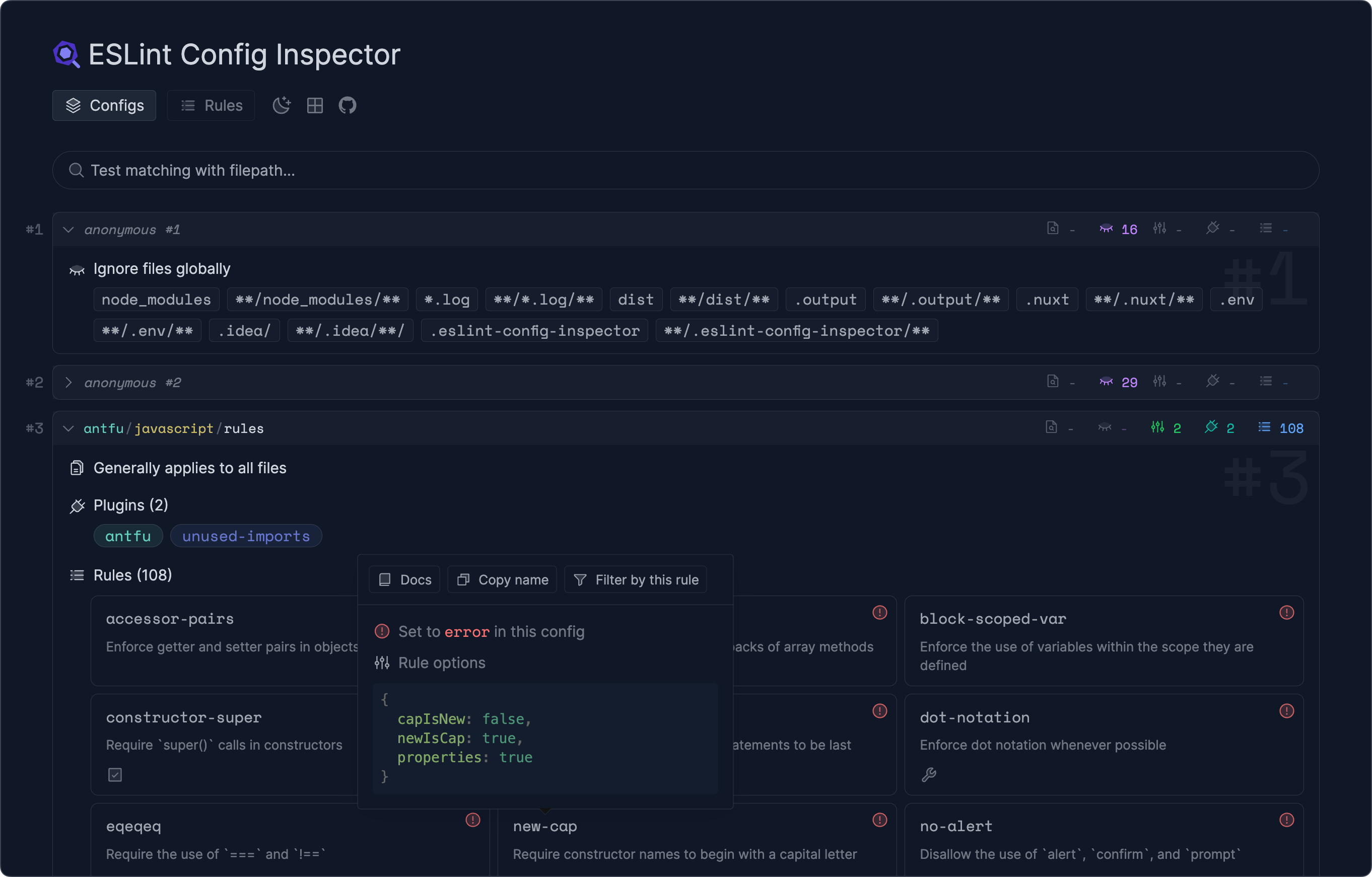
在“Configs”选项卡中,你将看到来自配置文件的所有配置对象的列表。当你包含外部配置或拥有动态生成的配置时,这尤其有用。此功能使你可以清楚地看到这些配置在项目中是如何被解析和增强的。
🌐 In the “Configs” tab, you will see a list of all configuration objects from your configuration file. This is especially useful when you are including external configurations or have dynamically generated configurations. This feature gives you the transparency to see how those configurations are resolved and augmented in your project.
🌐 Filepath Matching
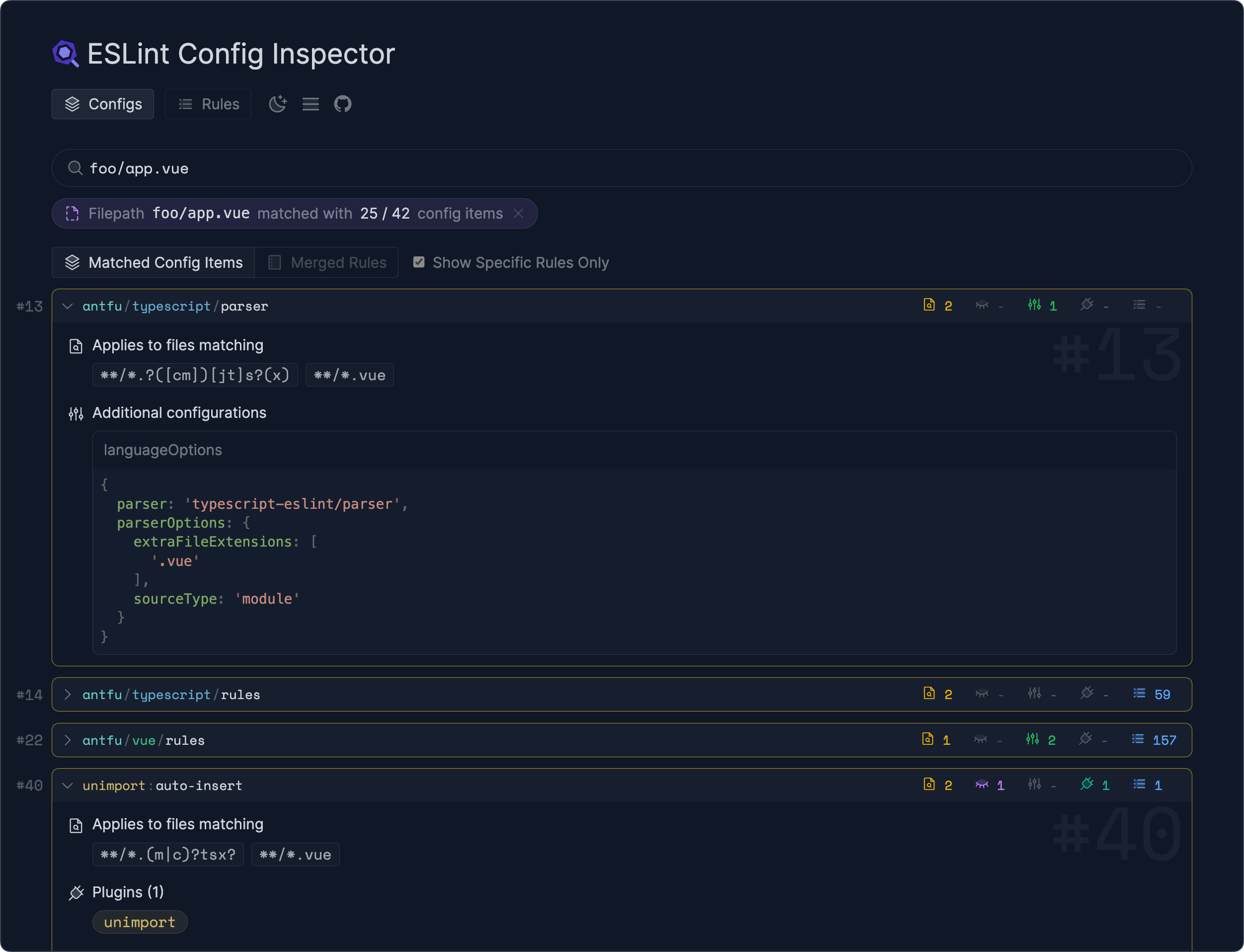
在“Configs”选项卡中,你可以输入文件路径,以查看该特定文件启用了哪些规则或禁用了哪些规则:
🌐 In the “Configs” tab, you can enter a file path to see which rules are enabled or disabled for that specific file:
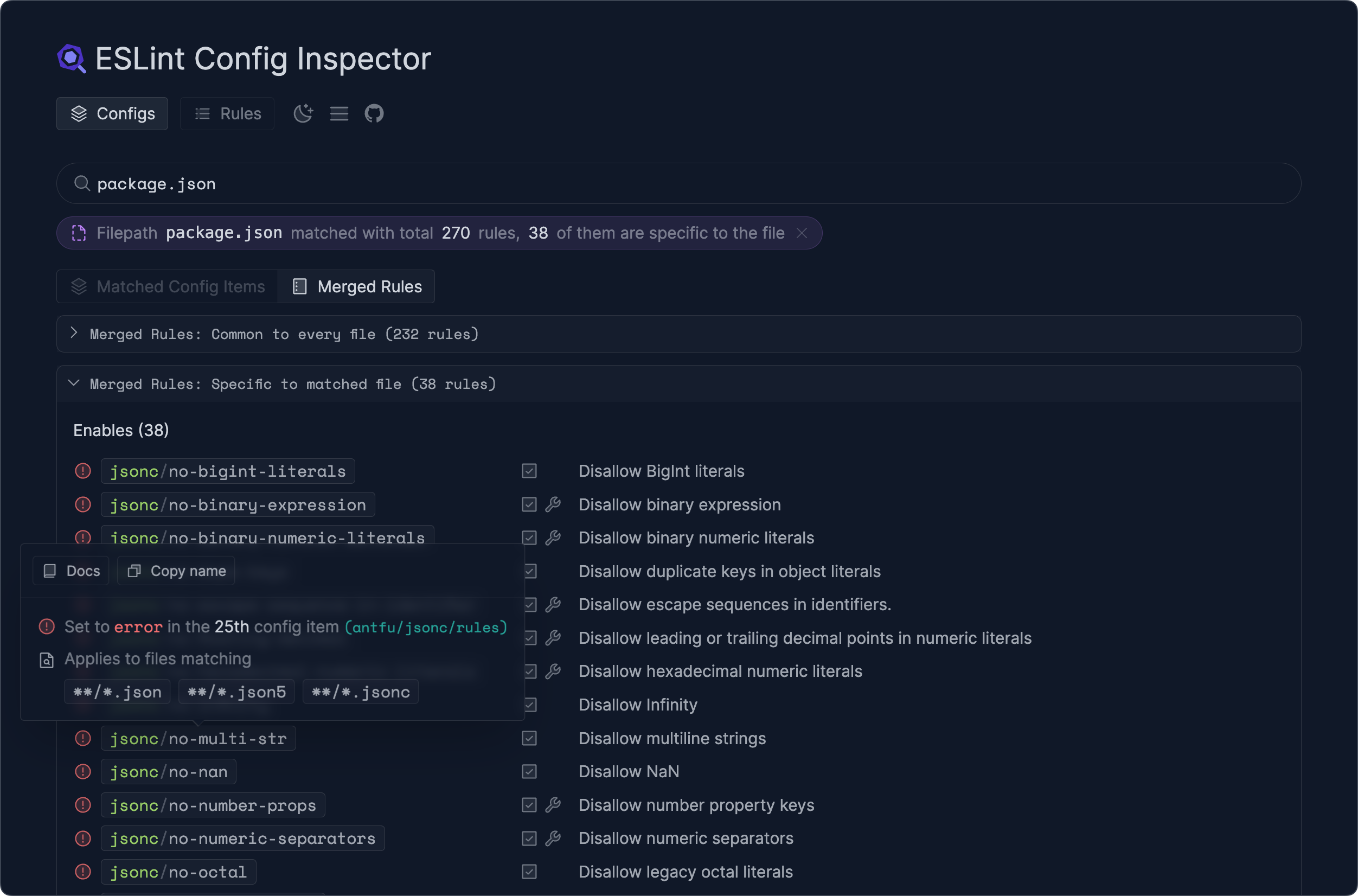
你也可以切换视图以查看该文件的最终合并规则:
🌐 You can also toggle the view to see the final merged rules for that file:
🌐 Available Rules
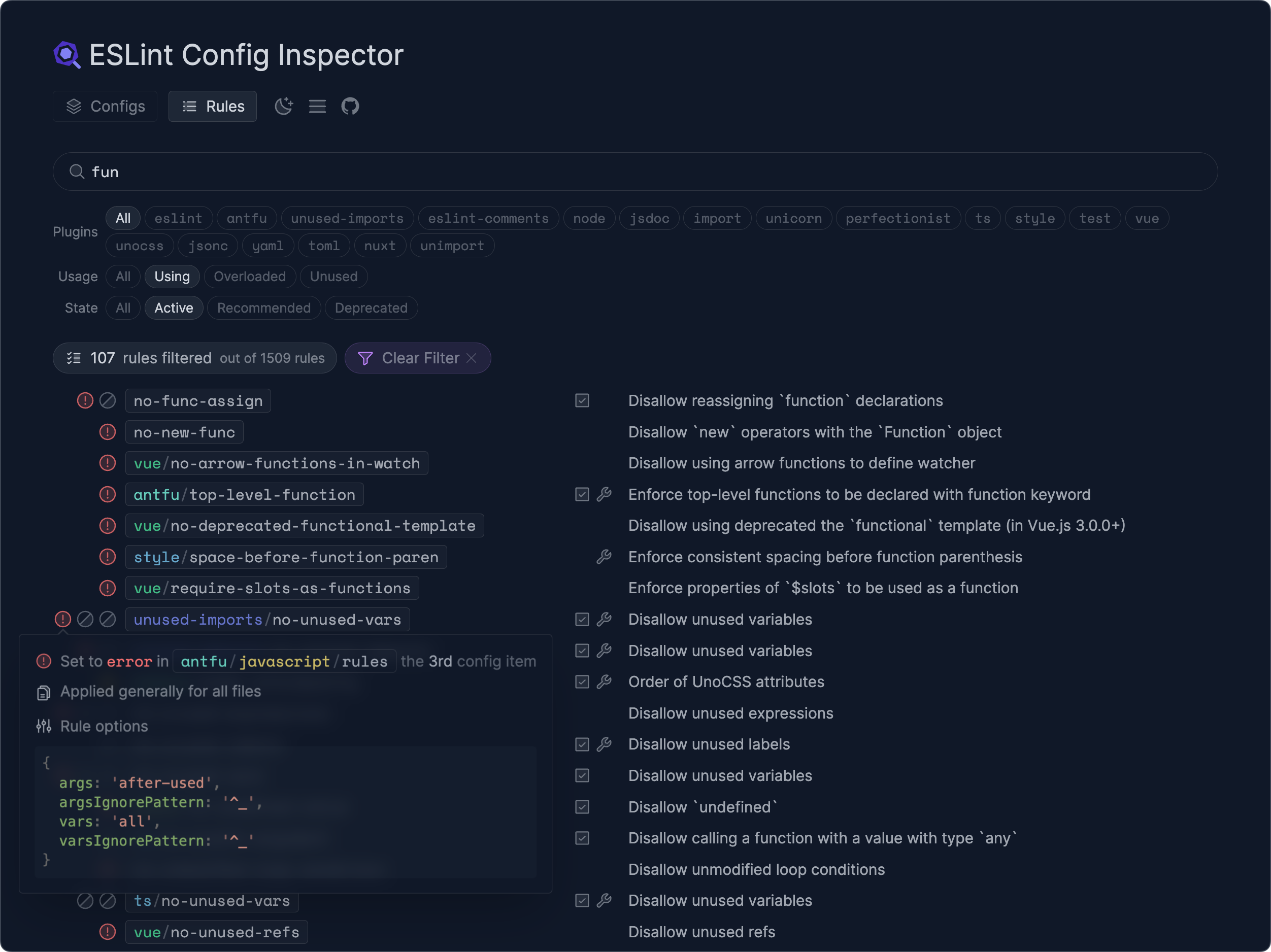
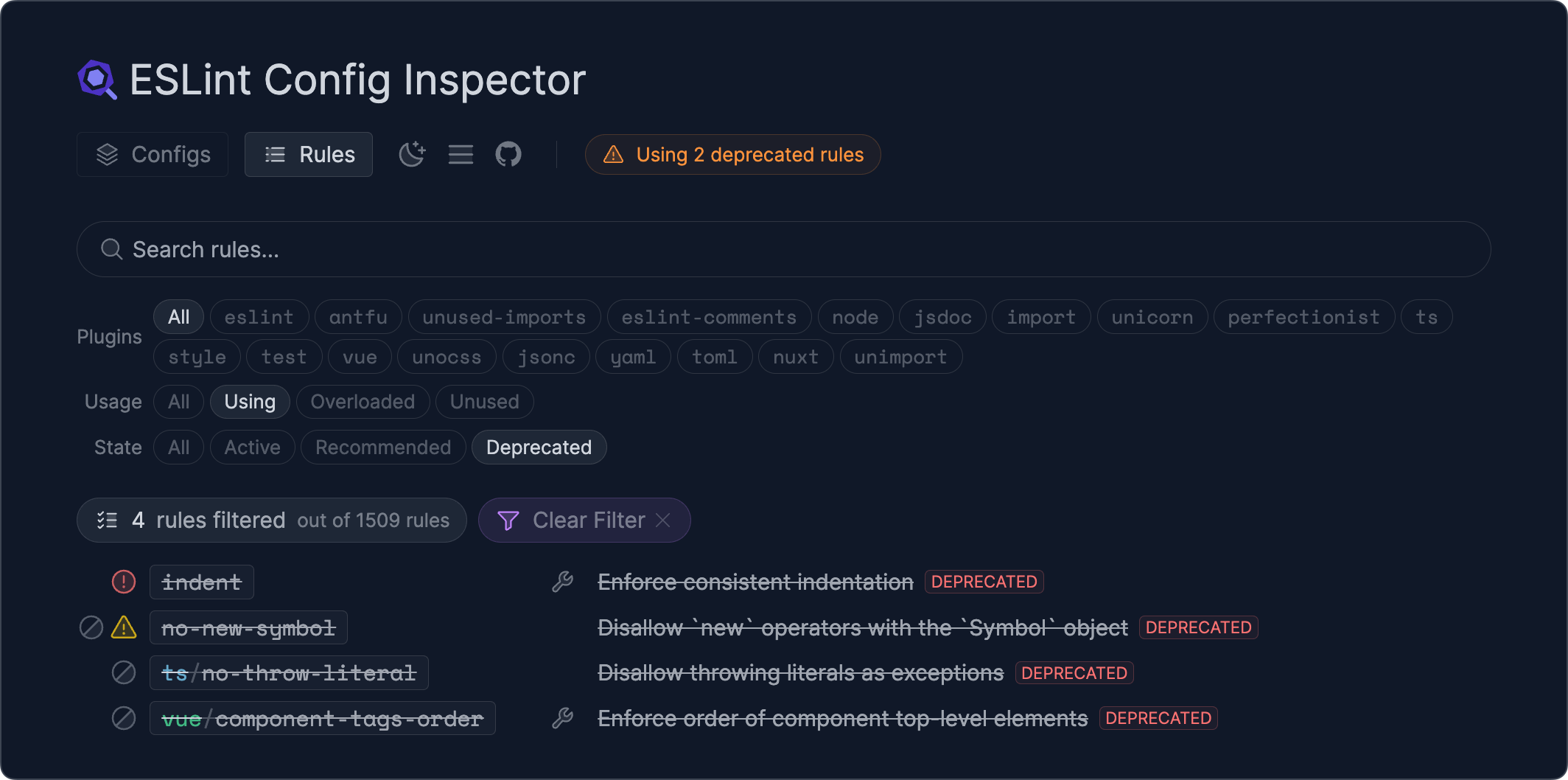
转到“规则”选项卡,以查看你已安装插件的所有可用规则。每个规则都会显示其在配置文件中是启用还是禁用的。你还可以筛选规则,以查找已弃用规则的使用情况或尚未启用的推荐规则。
🌐 Go to the “Rules” tab to see all the available rules from the plugins you have installed. Each rule displays if it is enabled or disabled in your configuration file. You can also filter rules to find the usage of deprecated rules or recommended rules that are not yet enabled.
🌐 Conclusion
我们希望 ESLint 配置检查器能让理解和维护你的 ESLint 配置变得更简单、更愉快。我们很期待听到你的反馈和建议,以便进一步改进该工具。请随时提交问题来分享你的想法。
🌐 We hope that the ESLint Config Inspector will make understanding and maintaining your ESLint configurations easier and more enjoyable. We are excited to hear your feedback and suggestions on how we can improve the tool further. Please feel free to open an issue to share your thoughts.
最新的 ESLint 新闻、案例研究、教程和资源。